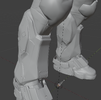
Halo Reach Female MK.V[B] Shin Armor

Aethyia

New Member
Ahem, hi!

Haven’t posted much on forums before, been a lifelong lurker till now. Time to change that!

This thread is thematically related to KaeSpoon’s thread here: Project FEMV[B] - Overhaul of MK.V[B] Female armory templates

However so far she’s focused on the chest piece and upper arm segments, and I’m looking to work on the female spartan model shin armor of which I haven’t seen a good high resolution work up.

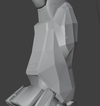
I’m new to blender, and the current approach I’m starts with extracting meshes and textures from halo reach. Then I’m applying mesh subdivisions and using the texture normal map to apply finer details to the up-res mesh.

I have a feeling I’ll need to get my hands dirty soon with manual mesh editing/sculpting. I’m also wondering if using the game meshes as a starting point is a good approach, or if a better way is to model the armor from scratch with primitive shapes and sculpting?

In any case, happy to be here and looking to contribute as I learn how to use blender. Thank you to all the modelers who have posted tutorials and models to the repository!
 

Attachments

  • Screenshot_2025-12-08_at_22.27.13.png
    Screenshot_2025-12-08_at_22.27.13.png
    1.5 MB · Views: 5
  • Screenshot_2025-12-08_at_22.25.06.png
    Screenshot_2025-12-08_at_22.25.06.png
    1.6 MB · Views: 4
  • Screenshot_2025-12-08_at_22.15.35.png
    Screenshot_2025-12-08_at_22.15.35.png
    2.7 MB · Views: 4
Ahem, hi!

Haven’t posted much on forums before, been a lifelong lurker till now. Time to change that!

This thread is thematically related to KaeSpoon’s thread here: Project FEMV[B] - Overhaul of MK.V[B] Female armory templates

However so far she’s focused on the chest piece and upper arm segments, and I’m looking to work on the female spartan model shin armor of which I haven’t seen a good high resolution work up.

I’m new to blender, and the current approach I’m starts with extracting meshes and textures from halo reach. Then I’m applying mesh subdivisions and using the texture normal map to apply finer details to the up-res mesh.

I have a feeling I’ll need to get my hands dirty soon with manual mesh editing/sculpting. I’m also wondering if using the game meshes as a starting point is a good approach, or if a better way is to model the armor from scratch with primitive shapes and sculpting?

In any case, happy to be here and looking to contribute as I learn how to use blender. Thank you to all the modelers who have posted tutorials and models to the repository!
Hey, really cool to see someone working on the female Reach shins, those pieces have some really fun shapes to tackle.


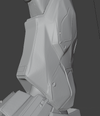
Starting with the in-game mesh is a solid way to get proportions and overall form right. Reach meshes are low-poly, but they give you accurate base shapes. Once you subdivide, you’ll probably need some cleanup or manual tweaks — that’s totally normal when working with ripped game assets. A bit of hand modeling or light sculpting in Blender usually handles most of that.


For finer details, if your goal is 3D printing, it’s usually best to model those details directly in Blender rather than relying on height/normal maps from texturing software. You can add panel lines, bevels, and other hard-surface shapes using Booleans — beneficial for Halo armor, which is mostly geometric. If you want more organic shapes, sculpting is still the way to go.


One thing that can really help is importing reference images into Blender. You can place them in the viewport and adjust transparency (using X-Ray mode, Alt+Z) so you can “see through” the mesh and trace the reference while modeling. Switching between this see-through mode and your mesh lets you tweak proportions and add hard-surface details more precisely. It’s a huge time-saver when you’re trying to match a reference closely.


Just a heads-up: 3D modeling, whether hard-surface or sculpting, is time-consuming and takes practice to master — especially for complex props like Halo armor. But based on what you’ve shared, you’re already on the right track. Keep iterating, experiment with Booleans for hard edges, and use sculpting for any organic touches.


Really looking forward to seeing how your shin pieces come together — it’s always cool to see new interpretations of the Reach armor.

Some suggested blender add-ons for hard surface modeling I recommend are:

Grid Modeler (click for link)

Hard Ops / Box Cutter (click for link)
 
Last edited:
Hey, really cool to see someone working on the female Reach shins, those pieces have some really fun shapes to tackle.


Starting with the in-game mesh is a solid way to get proportions and overall form right. Reach meshes are low-poly, but they give you accurate base shapes. Once you subdivide, you’ll probably need some cleanup or manual tweaks — that’s totally normal when working with ripped game assets. A bit of hand modeling or light sculpting in Blender usually handles most of that.


For finer details, if your goal is 3D printing, it’s usually best to model those details directly in Blender rather than relying on height/normal maps from texturing software. You can add panel lines, bevels, and other hard-surface shapes using Booleans — beneficial for Halo armor, which is mostly geometric. If you want more organic shapes, sculpting is still the way to go.


One thing that can really help is importing reference images into Blender. You can place them in the viewport and adjust transparency (using X-Ray mode, Alt+Z) so you can “see through” the mesh and trace the reference while modeling. Switching between this see-through mode and your mesh lets you tweak proportions and add hard-surface details more precisely. It’s a huge time-saver when you’re trying to match a reference closely.


Just a heads-up: 3D modeling, whether hard-surface or sculpting, is time-consuming and takes practice to master — especially for complex props like Halo armor. But based on what you’ve shared, you’re already on the right track. Keep iterating, experiment with Booleans for hard edges, and use sculpting for any organic touches.


Really looking forward to seeing how your shin pieces come together — it’s always cool to see new interpretations of the Reach armor.

Some suggested blender add-ons for hard surface modeling I recommend are:

Grid Modeler (click for link)

Hard Ops / Box Cutter (click for link)
Aethyia
After taking a closer look at KaeSpoon’s armor work here, I have to say it’s a really clever approach to more organic modeling. I think it could be a solid method for tackling what you’re trying to accomplish with the shin pieces.


From my own experience, I’ve been 3D modeling since 2015. I haven’t seen that particular adaptation of modeling before, so it stood out to me as both innovative and practical. Combining some of her techniques with your current workflow, or even just keeping it in mind as part of your general modeling toolbox, could really help you achieve your goals.


It’s always exciting to see new approaches like this in the Halo armor community. Experimenting with different workflows can really open up creative possibilities.
 

Your message may be considered spam for the following reasons:

If you wish to reply despite these issues, check the box below before replying.
Be aware that malicious compliance may result in more severe penalties.
Back
Top