Murvaux Type 0 Helmet - Destiny

KnavishPlum

Member
Hello!

Been wanting to make this for a while, but a lack of drive had stopped me (it's been years!). In fact, if you go check the 3D Model index, you'll see this very helmet added at my younger self's request in like 2019. Still having the original model, I wanted to take a crack at it myself.

Current progress:
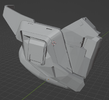
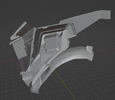
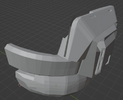
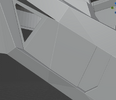
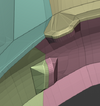
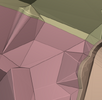
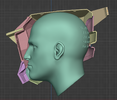
I worked on deleting all the unneeded faces, I forgot Bungie used a modular system for D1 armor, so their is a whole second helmet inside! After that, I split the model into the different base sections I want for future assembly.

The next step will be starting to cutting into the different pieces and remove the overlapping sections of geo between parts. Even with just this, I am feeling really good about this. 3D printer has been printing something for a friend (which is good since it took a bit to get working nicely) and I think I have made a good start.
 

Attachments

  • Helmet Inside Original.png
    Helmet Inside Original.png
    361 KB · Views: 149
  • Helmet Inside Cleanish.png
    Helmet Inside Cleanish.png
    334.8 KB · Views: 143
  • Breakdown.png
    Breakdown.png
    396.1 KB · Views: 146
Progress Update:
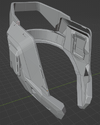
I have cut back the excess geometry and adjusted vertices for cleaner piece separation as some parts had single faces sticking out in random spots. Some tweaks I made to the model such as cutting out the ears and adding a slot that the back handle can hopefully just slot into when the time comes.

My next step is dealing with the top. The front is a bit tricky with how the main plate and chin meet, but things are moving much more quickly now that I have a better handle on Blender (at least for my purposes).
 

Attachments

  • Helmet Outside Current.png
    Helmet Outside Current.png
    192.4 KB · Views: 138
  • Helmet Inside Current.png
    Helmet Inside Current.png
    384.2 KB · Views: 136
  • Helmet Inside Current Back.png
    Helmet Inside Current Back.png
    285.6 KB · Views: 126
Ok. It has been a really long time. Got a new job and have been distracted by other projects/life. But I have found bits to work on the model. Hopefully this post doesn't run aground of anything.

Progress Update:
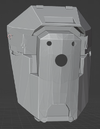
So I have actually made quite a few additions to the model since the last post. Mostly smaller details missing from the model due to only being textures in game. The other big adjustment was bumping the poly count to round off areas that appeared much more faceted without the rendered smoothing.

Overall, I think I am making good progress on modifying the game model for me purposes. I can't say that I am going about it in the best way with regards to 3d modeling or topology, but I have tried my best to keep everything closed and clean.
 

Attachments

  • Smaller Details.png
    Smaller Details.png
    109.8 KB · Views: 7
  • Smaller Details 2.png
    Smaller Details 2.png
    124.6 KB · Views: 8
  • Mirrored Look.png
    Mirrored Look.png
    414.7 KB · Views: 8
  • Faceplate.png
    Faceplate.png
    147.4 KB · Views: 9
Progress Update:
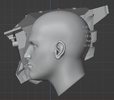
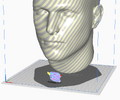
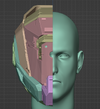
I think the model is getting close to be being done (still need to do a few things), but I wanted to start on resizing the model. I am using a sizing head set from Thingiverse that has a close match for my circumference.

I am a little lost on how to best go about this as most videos I see are people taking their models as one piece into Cura or another slicer to scale, not doing it in Blender or something like it. With me splitting the helmet into parts, I am not sure how to best go about it. Though I have taken the full half at lest to test.

If anyone has done this before or has tips, that would be great!
 

Attachments

  • Size Test.png
    Size Test.png
    345.3 KB · Views: 0
  • Cura test Issue.png
    Cura test Issue.png
    244.2 KB · Views: 0

Your message may be considered spam for the following reasons:

If you wish to reply despite these issues, check the box below before replying.
Be aware that malicious compliance may result in more severe penalties.
Back
Top